Open Wallpaper Engine icon Open Wallpaper Engine icon

Open Wallpaper Engine

Wallpaper Engine scene, video and web wallpapers, live on your Mac desktop.

macOS 14 or later · Free and open source (GPL-3.0)

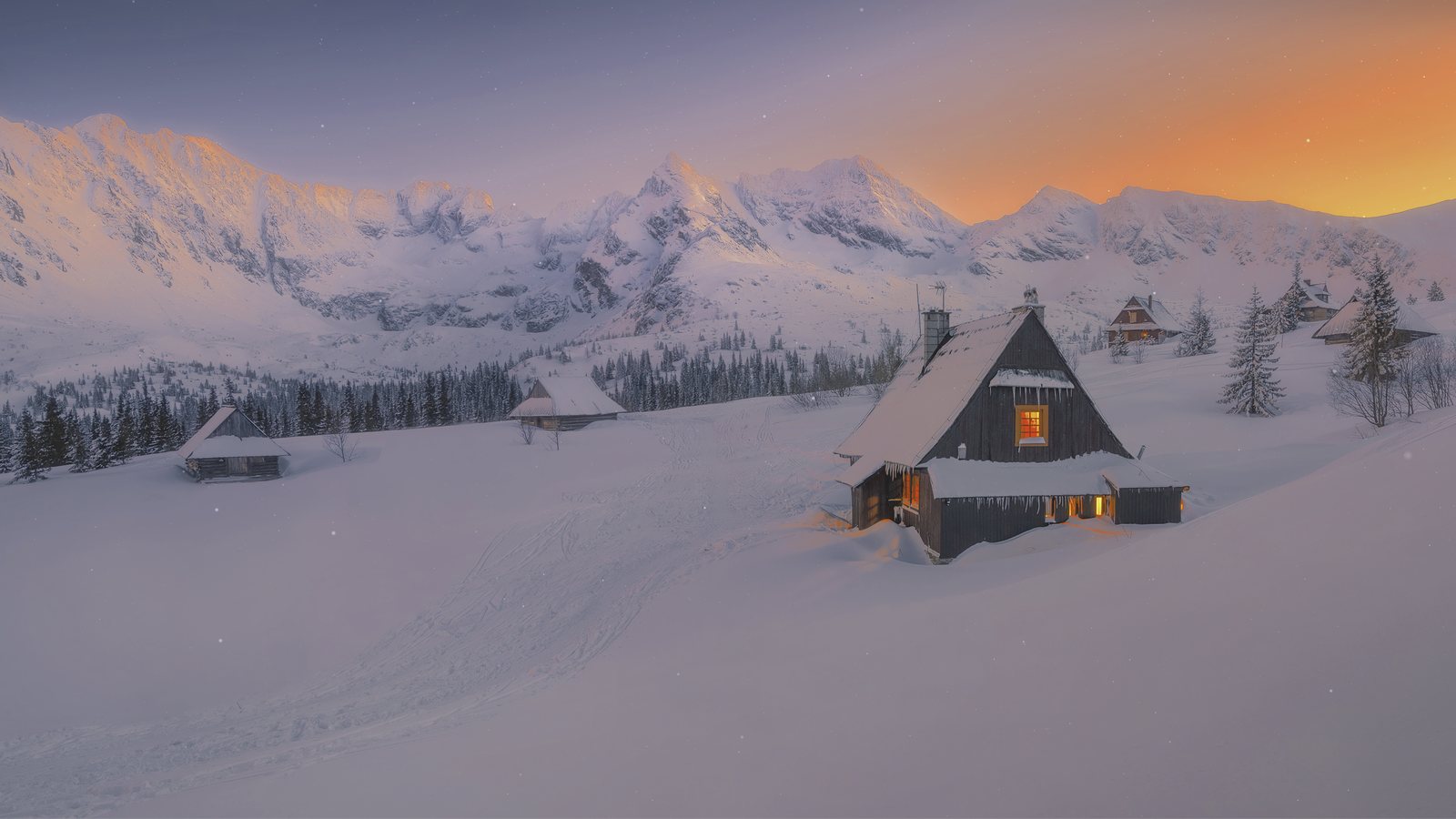
The Snowy Plains scene wallpaper running on a Mac desktop: a snow-covered cabin at sunset with falling snow.

Wallpaper types

Plays the Wallpaper Engine format

Open Wallpaper Engine reads wallpapers in Wallpaper Engine's own format: the project.json, scene.json, packages, textures and shaders that Workshop items ship with. Three of the four wallpaper types run.

Scene

type: scene

  • Rendered natively with Metal, through each wallpaper's original shaders translated to Metal
  • Image, composition, fullscreen and solid layers; all 33 blend modes; effect masks
  • GPU particles, text and clock layers, keyframe and texture timelines
  • SceneScript, 3D models, scene lights, shadows and fog
  • HDR bloom, with EDR output on displays that can show it

Video

type: video

  • MP4, MOV and M4V through AVFoundation
  • WebM (VP8/VP9) plays through WebKit, with placement, looping, volume, speed and per-display pause, and music sync
  • Playback rate, volume and placement (Fill, Fit, Center, Stretch, Zoom)
  • Optional music-synced zoom and tilt

Web

type: web

  • HTML and WebGL wallpapers with local file access, so textures and assets load
  • User properties through wallpaperPropertyListener
  • Live audio through the audio listener
  • Now Playing through the media listeners

Not supported: application wallpapers. They are Windows programs and will not run.

Features

Built to render wallpapers the way their authors made them

The goal is to run every Wallpaper Engine wallpaper except applications, faithful to how Wallpaper Engine draws them, with fixes that work for all wallpapers instead of one.

Rendering

  • Metal on the GPU; Wallpaper Engine's GLSL is translated to Metal (GLSL → SPIR-V → MSL) by glslang and SPIRV-Cross built into the app
  • Translated shaders are cached on disk and compiled in the background
  • Workshop authors' own custom effects run through the same path
  • Built-in effects need Wallpaper Engine on Steam: the app installs its assets from your own copy
  • Colour lookup tables, Wallpaper Engine's colour correction, bloom and HDR bloom
  • "Ultra (Display HDR)" outputs EDR on HDR-capable displays
  • Puppet Warp images with bone physics

Particles

  • Every particle system simulated on the GPU, in 3D, with 3D control points
  • Child systems, including ones triggered by their parent's particles
  • Emitter bursts, delays, periodic emission, and emitting from a layer's image
  • Collision (including with a model's bones), audio response, rotation about every axis
  • Turbulence, attractors, vortex and boid motion, ropes and trails

3D and lighting

  • 3D models with skinning, animation layers, morph targets and root motion
  • Perspective cameras with camera paths, fades and shake; 2D layers sit in depth
  • Scene lights with light cookies, shadows and planar reflections
  • Distance and height fog, and volumetric lights

SceneScript and Now Playing

  • A complete SceneScript runtime: modules, the scene, layer, effect and material object model, animation events, localStorage and cursor hit testing
  • Each wallpaper's scripts run on their own thread
  • Scripts can create layers, particle systems and sounds, drive bloom and fog, and pose puppets and models
  • Now Playing: scenes and web wallpapers receive the current track and playback state (macOS 15.4 or later)

Audio

  • System audio captured with ScreenCaptureKit (needs the Screen & System Audio Recording permission)
  • The audio spectrum is computed the way Wallpaper Engine computes it, in stereo
  • Audio-reactive layers, effects, particles and scripts
  • Sound layers play on the scene's clock, with spatial sound placed as in Wallpaper Engine

Every display

  • A different wallpaper on each display, or one on all of them
  • A wallpaper shown on several displays renders once and is presented on each
  • Pause per Display or Pause All, with playback rules checked for each display, including Wallpaper Engine's maximized-window rule
  • Rules for focused, maximized, fullscreen and audio-playing apps, a sleeping display and battery power
  • Per-display properties, with "Sync properties across displays"; playback continues across Spaces

Steam Workshop

  • Browse and search the Workshop inside the app, sorted by Trending, Most Recent, Most Popular or Most Subscribed
  • Wallpaper Engine's filters: Show Only, resolution, content rating, type, and genres combined with AND or OR
  • Downloads go through SteamCMD with your Steam account, which must own Wallpaper Engine
  • Missing dependencies download automatically; unused ones are removed after a delete
  • Content rating defaults to Everyone

Library and playlists

  • Installed wallpapers filter by their Workshop tags, type, rating and resolution
  • Import from folders or .zip packages, or by drag and drop
  • Playlists with shuffle and repeat
  • Reset in Details returns a wallpaper's properties, and its Scene Editor (Live) edits, to the author's defaults
  • Safe restart skips a wallpaper that stalled or crashed the app and marks it in the library

Performance settings

  • Quality, anti-aliasing and post-processing
  • Render Resolution and Texture Resolution
  • Match Display scene detail, reflections, shadows and volumetrics

A native Mac app

  • Liquid Glass on macOS 26: a native split view, toolbar and inspector with glass controls
  • Earlier macOS versions keep the familiar look
  • A menu bar icon with recent wallpapers, following the menu bar's appearance
  • Automatic updates from GitHub Releases, which you can turn off in Settings

15 languages

  • German, French, Spanish, Brazilian Portuguese, Italian, Japanese, Korean, Simplified and Traditional Chinese, Russian, Polish, Turkish, Ukrainian, Arabic and Hindi, in addition to English
  • Chosen from the Language picker in Settings

Privacy

  • Your Steam password is never stored; SteamCMD reuses its own cached session
  • The Steam Web API key is checked with Steam and kept in your Keychain
  • Everything the app saves stays on your Mac; no server, no data collection or analytics
  • Contacts Valve (Steam for the Workshop and assets, Valve's server for SteamCMD) and GitHub to check for app updates (the update feed on GitHub Pages, downloads from GitHub Releases); web wallpapers may load their own online content
  • Update checks send no personal data and can be turned off in Settings › General

Screenshots

See it running

Captured from the app on macOS. Select a screenshot to enlarge it.

Requirements

Install

  • macOS 14 Sonoma or later, on a Mac with Metal
  • Liquid Glass interface on macOS 26
  • Now Playing needs macOS 15.4 or later
  • Scene wallpapers need Wallpaper Engine assets from your Steam copy (a Steam account that owns Wallpaper Engine); video and web wallpapers don't
  • Workshop downloads need a Steam account that owns Wallpaper Engine. The app sets up Valve's SteamCMD for you; no Homebrew needed
  • Audio-reactive wallpapers need the Screen & System Audio Recording permission
  1. Download the DMG from the button above.
  2. Open it and drag Open Wallpaper Engine to Applications.
  3. Open the app. It's signed and notarized by Apple; macOS only asks once to confirm opening an app from the internet.
  4. Follow the setup assistant: sign in to Steam, and the Wallpaper Engine assets install automatically. You can also choose an existing Wallpaper Engine folder in Settings → Assets.
  5. Import wallpaper folders or .zip packages, or download from the Workshop tab.

FAQ

Questions

Do I need Wallpaper Engine installed?

Scenes need Wallpaper Engine's built-in effects, materials, shaders, fonts and SceneScript runtime, which the app doesn't ship. Settings → Assets downloads them from your own Wallpaper Engine copy on Steam with SteamCMD, keeps only those files and Wallpaper Engine's default wallpapers, and deletes the rest; or you can choose an existing Wallpaper Engine folder. Video and web wallpapers play without them. Shaders are translated by a compiler built into the app.

What does "Wallpaper Engine format" mean?

Wallpapers made for Wallpaper Engine are folders with a project.json and their content: a scene.json or scene.pkg with textures, materials and shaders for scenes, a video file, or an HTML page. Open Wallpaper Engine reads those files directly, so Workshop items and wallpapers you made yourself both work.

Where are wallpapers stored?

In ~/Documents/Open Wallpaper Engine by default. You can choose another folder in Settings and move the existing library there. Every Workshop download lands in that folder.

Do I need to own Wallpaper Engine?

For scene wallpapers and the Steam Workshop, yes: the built-in effects come from your own Wallpaper Engine copy, and SteamCMD downloads the app and Workshop items only for an account that owns Wallpaper Engine. Video and web wallpapers you already have can be imported and played without Steam.

Which wallpapers do not work?

Application wallpapers are not supported. Scene support is broad but still growing; a wallpaper that stalls or crashes the app is skipped on the next launch and marked in the library.

Is my Steam login safe?

Your Steam password is never stored. SteamCMD keeps its own cached session, and the Steam Web API key is kept in the macOS Keychain.

What data does the app keep or send?

Everything Open Wallpaper Engine saves stays on your Mac: your settings, library, cache and SteamCMD's login. Open Wallpaper Engine has no server and collects no data or analytics. It contacts Valve (Steam when you use the Workshop or install assets, and Valve's server to download SteamCMD) and GitHub, to check for app updates: the update feed on GitHub Pages and the downloads on GitHub Releases. Update checks send no personal data, and you can turn them off in Settings › General. Web wallpapers may load their own online content. Your Steam password and Steam Guard code go straight to SteamCMD and are never stored, logged or sent anywhere else; only your account name is remembered, to reuse SteamCMD's saved login.


Credits

Who made it

Released by Deepratna Awale

Author and maintainer of this release: the Metal renderer, shader translation, SceneScript, audio, Workshop and the logo redesign. github.com/deepratna-awale

Based on Open Wallpaper Engine

The open-source Open Wallpaper Engine by MrWindDog and Haren Chen, licensed under GPL-3.0.

Logo

Original logo design by Klaus Zhu. Logo redesign by Deepratna Awale.

Contributors

1ris_W (Chinese translation) and everyone listed in AUTHORS.md.